Kids Kitchen Cozy Cooking
Cooking
🎮 Free · No Download · Works on Mobile
📖 About Kids Kitchen Cozy Cooking
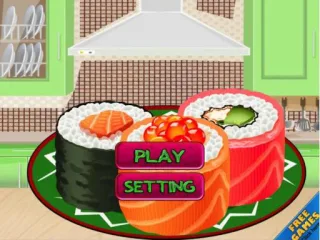
Kids Kitchen Cozy Cooking is a delightful free browser game you can jump into instantly — no download or installation required.
Young chefs get to chop vegetables, stir pots, and assemble tasty dishes by following fun step-by-step recipes. Each level introduces new ingredients and kitchen tools, keeping little cooks engaged and gently building their focus and coordination skills.
Whether your child is playing on a mobile phone, tablet, or desktop computer, the game runs smoothly on any device. Head over to GameQuickPlay.com and start cooking up something delicious today!
❓ Frequently Asked Questions
How do I play Kids Kitchen Cozy Cooking?
Click the game screen to start playing instantly. Use keyboard arrows or WASD on desktop, or tap on-screen controls on mobile. No download or sign-up needed.
Is Kids Kitchen Cozy Cooking free to play?
Yes — Kids Kitchen Cozy Cooking is 100% free on GameQuickPlay. No registration, no downloads, no hidden fees. Ever.
Does Kids Kitchen Cozy Cooking work on mobile?
Kids Kitchen Cozy Cooking works on iPhone, iPad, Android phones and tablets, as well as any desktop browser — Chrome, Firefox, Safari, Edge.
Is Kids Kitchen Cozy Cooking an unblocked game?
Yes! Kids Kitchen Cozy Cooking is an HTML5 browser game that runs on any network. No Flash, no plugins, no app installs required.